
Used as the header of a page when the default page template header is disabled.
The H1 header should be kept in all situations, however the paragraph text, buttons and image/rotation can be removed, duplicated or replaced as needed.
The “dark” background image can be changed by selecting / edit of the “section” and clicking style.
If changing the background, be sure that the background image is dark enough to provide accessibility contrast of text / buttons layered on top.
As the background image will float under the primary page nav this works best with template settings:
Header Layout: Desktop – Alt – Light text on dark background with transparency
Header Mobile Layout: Mobile – Alt – Light text on dark background
Page Header On/Off: OFF
Paragraph Text – All packages include data, segmentation system, automated profiling and built-in insights reports.
Used as the header of a page when the default page template header is disabled.
The H1 header should be kept in all situations, however the paragraph text, buttons and image/rotation can be removed, duplicated or replaced as needed.
The “dark” background color in the image change can be changed by selecting / edit of the “section” and clicking style.
Then background, using the background color picker to set the new CiG Color.
DO NOT CHANGE THE BACKGROUND IMAGE MASK TO CHANGE COLOR as it provides the circle and map, but not the color.
As the background image will float under the primary page nav this works best with template settings:
Header Layout: Desktop – Alt – Light text on dark background with transparency
Header Mobile Layout: Mobile – Alt – Light text on dark background
Page Header On/Off: OFF
Paragraph Text – All packages include data, segmentation system, automated profiling and built-in insights reports.
Used as the header of a page when the default page template header is disabled.
The H1 header should be kept in all situations, however the paragraph text, buttons and image/rotation can be removed, duplicated or replaced as needed.
The “dark” background color in the image change can be changed by selecting / edit of the “section” and clicking style.
Then background, using the background color picker to set the new CiG Color.
DO NOT CHANGE THE BACKGROUND IMAGE MASK TO CHANGE COLOR as it provides the circle and map, but not the color.
As the background image will float under the primary page nav this works best with template settings:
Header Layout: Desktop – Alt – Light text on dark background with transparency
Header Mobile Layout: Mobile – Alt – Light text on dark background
Page Header On/Off: OFF
Paragraph Text – All packages include data, segmentation system, automated profiling and built-in insights reports.

Used as the header of a page when the default page template header is disabled.
The H1 header should be kept in all situations, however the paragraph text, buttons and image/rotation can be removed, duplicated or replaced as needed.
The “dark” background color in the image change can be changed by selecting / edit of the “section” and clicking style.
Then background, using the background color picker to set the new CiG Color.
DO NOT CHANGE THE BACKGROUND IMAGE MASK TO CHANGE COLOR as it provides the circle and map, but not the color.
As the background image will float under the primary page nav this works best with template settings:
Header Layout: Desktop – Alt – Light text on dark background with transparency
Header Mobile Layout: Mobile – Alt – Light text on dark background
Page Header On/Off: OFF
Paragraph Text – All packages include data, segmentation system, automated profiling and built-in insights reports.

Used as the header of a page when the default page template header is disabled.
The H1 header should be kept in all situations, however the paragraph text, buttons and image/rotation can be removed, duplicated or replaced as needed.
The “light” background is a color gradient from the primary color at the top to page content color at the bottom. This can be changed by selecting / edit of the “section” and clicking Style > Background Overlay > Color and then use the picker to select a very light brand color.
If changing the background be sure that the background gradient make is light enough to provide accessibility contrast of text / buttons and site primary navigation which will be layered on top.
As the background gradient will float under the primary page nav this works best with template settings:
Header Layout: Desktop Main – Dark text on light background
Header Mobile Layout: Mobile – Main – Dark text on light backgrounds
Page Header On/Off: OFF
Paragraph Text – All packages include data, segmentation system, automated profiling and built-in insights reports.
Page content header section to be used anywhere after the page default or “hero” H1 section.
Size is adjustable using css class (part of sandbox theme) that is accessible by clicking on the header then going to Advanced > CSS Classes.
The options are display-1, display-2, display-3 with the default being display-2.
Page content header section to be used anywhere after the page default or “hero” H1 section.
Features a muted and smaller H2 with a larger and bold H3.
Size/Style of the H2 is locked with a custom CSS class of cig-h2-eyebrow
Size is adjustable on the H3 using CSS class on the header (part of sandbox theme) that is accessible by clicking on the header then going to Advanced > CSS Classes.
The options are display-1, display-2, display-3 with the default being display-3.
The following are “Icon Cards” which are based on the the Sandbox themes “OT Icon Box” widget.
The CIG version of these cards has custom CSS classes applied under Advanced > CSS Classes. card cig-icon-fontawesome
These cards will allow the change of the icon image using icon packs installed in Elementor admin such as font-awesome or custom CIG segments.
The color of the icon and circle background can be changed to other brand colors on the Style menu, what you see now is the default.
The icons can also be removed, as well as the link text to just use them as text cards in the same style.
The default example of the card has 4x, however you can remove un-needed cards and they will scale up in size to fill the gap, duplication will add columns, but it’s recommended to not use more than 5x as the text may become constrained on tablet sized displays.
The following are “Segment Icon Cards” which are based on the the Sandbox themes “OT Icon Box” widget.
The CIG version of these cards has custom CSS classes applied under Advanced > CSS Classes. card cig-icon-fontawesome
These cards however have had style modifications to allow for larger icons in a square box to support the more detailed line art in the CIG segment icon pack.
These cards will allow the change of the icon image using icon packs installed in Elementor admin such as font-awesome or custom CIG segments.
The color of the icon and background can be changed to other brand colors on the Style menu, what you see now is the default.
The icons can also be removed, as well as the link text to just use them as text cards in the same style.
The default example of the card has 4x, however you can remove un-needed cards and they will scale up in size to fill the gap, duplication will add columns, but it’s recommended to not use more than 5x as the text may become constrained on tablet sized displays.
The following are “Segment Icon Cards” which are based on the the Sandbox themes “OT Icon Box” widget.
The CIG version of these cards has custom CSS classes applied under Advanced > CSS Classes. card cig-icon-fontawesome
These cards however have had style modifications to allow for larger icons to support the more detailed line art in the CIG segment icon pack in a horizontal layout which can be icon on the left or right by changing Content > Icon Position.
These cards will allow the change of the icon image using icon packs installed in Elementor admin such as font-awesome or custom CIG segments.
The color of the icon and background can be changed to other brand colors on the Style menu, what you see now is the default.
The icons can also be removed, as well as the link text to just use them as text cards in the same style.
The default example of the card has 2x, however you can remove un-needed cards and they will scale up in size to fill the gap, duplication will add columns, but it’s recommended to not use more than 2x as the text may become constrained on tablet sized displays.
The following are “Segment Cards” which are custom layouts that look like the Sandbox themes “OT Icon Box” widget but are built using some custom CSS and Sandbox icon, header, text and buttons as sub elements for flexibility.
The CIG version of these cards has custom CSS classes applied to the column under Advanced > CSS Classes. cig-card
These cards icon area allow for larger icons to support the more detailed line art in the CIG segment icon pack.
These cards will allow the change of the icon image using icon packs installed in Elementor admin such as font-awesome or custom CIG segments.
The color of the icon and background can be changed to other brand colors on the Style menu, what you see now is the default.
The icons can also be removed, as well as the button to just use them as empty text cards by selecting and deleting the objects.
The default example of the card has 3x, however you can remove un-needed cards and they will scale up in size to fill the gap, duplication will add columns, but it’s recommended to not use more than 4x as the text may become constrained on tablet sized displays.
Lorem ipsum dolor sit amet, consectetur adipiscing elit. Ut elit tellus, luctus nec ullamcorper mattis, pulvinar dapibus leo.
Lorem ipsum dolor sit amet, consectetur adipiscing elit. Ut elit tellus, luctus nec ullamcorper mattis, pulvinar dapibus leo.
Lorem ipsum dolor sit amet, consectetur adipiscing elit. Ut elit tellus, luctus nec ullamcorper mattis, pulvinar dapibus leo.
The following are “Image Cards” which are custom layouts that look like the Sandbox themes “OT Icon Box” widget but are built using some custom CSS and custom images Sandbox header, text as sub elements for flexibility.
The CIG version of these cards has custom CSS classes applied to the column under Advanced > CSS Classes. cig-card
These cards image area allow for images to be inserted from the Media library via Elementor by clicking the image to change it.
The default example of the card has 2x, however you can remove un-needed cards and they will scale up in size to fill the gap, duplication will add columns, but it’s recommended to not use more than 2x as the text may become constrained on tablet sized displays.
Lorem ipsum dolor sit amet, consectetur adipiscing elit. Ut elit tellus, luctus nec ullamcorper mattis, pulvinar dapibus leo.
Lorem ipsum dolor sit amet, consectetur adipiscing elit. Ut elit tellus, luctus nec ullamcorper mattis, pulvinar dapibus leo.
The following are “Image Cards” which are custom layouts that look like the Sandbox themes “OT Icon Box” widget but are built using some custom CSS and custom images Sandbox header, text as sub elements for flexibility.
The CIG version of these cards has custom CSS classes applied to the column under Advanced > CSS Classes. cig-card
These cards image area allow for images to be inserted from the Media library via Elementor by clicking the image to change it.
The default example of the card has 3x, however you can remove un-needed cards and they will scale up in size to fill the gap, duplication will add columns, but it’s recommended to not use more than 4x as the text may become constrained on tablet sized displays.
Lorem ipsum dolor sit amet, consectetur adipiscing elit. Ut elit tellus, luctus nec ullamcorper mattis, pulvinar dapibus leo.
Lorem ipsum dolor sit amet, consectetur adipiscing elit. Ut elit tellus, luctus nec ullamcorper mattis, pulvinar dapibus leo.
Lorem ipsum dolor sit amet, consectetur adipiscing elit. Ut elit tellus, luctus nec ullamcorper mattis, pulvinar dapibus leo.
The following are “Image Cards” which are custom layouts that look like the Sandbox themes “OT Icon Box” widget but are built using some custom CSS and custom images Sandbox header, text and buttons as sub elements for flexibility.
The CIG version of these cards has custom CSS classes applied to the column under Advanced > CSS Classes. cig-card
These cards image area allow for images to be inserted from the Media library via Elementor by clicking the image to change it.
The default example of the card has 3x, however you can remove un-needed cards and they will scale up in size to fill the gap, duplication will add columns, but it’s recommended to not use more than 4x as the text may become constrained on tablet sized displays.
Lorem ipsum dolor sit amet, consectetur adipiscing elit. Ut elit tellus, luctus nec ullamcorper mattis, pulvinar dapibus leo.
Lorem ipsum dolor sit amet, consectetur adipiscing elit. Ut elit tellus, luctus nec ullamcorper mattis, pulvinar dapibus leo.
Lorem ipsum dolor sit amet, consectetur adipiscing elit. Ut elit tellus, luctus nec ullamcorper mattis, pulvinar dapibus leo.
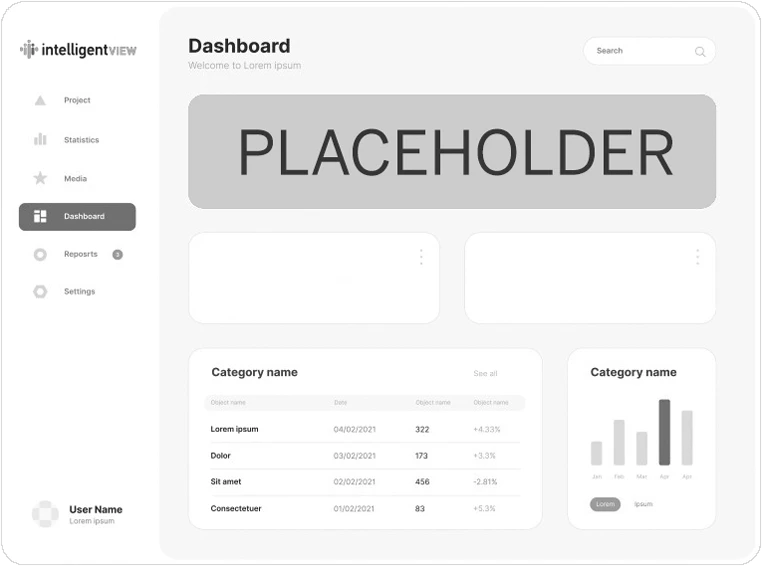
The following are “Hero App 16:9” which are custom modification to layouts from the Sandbox theme.
This configuration of this widget serves as structure foundation for displaying items like reports or app screen shots with a wide/rectangular aspect ratio. With information as header, sub headers, bullets, lists or paragraphs.
The examples provided once copied in to a page can be used to mix and patch the content sections attributes by copying or inserting the types of sub content areas desired from other examples pre-styled on this page.
Fusce dapibus, tellus ac cursus commodo, tortor mauris condimentum nibh, ut fermentum massa justo sit amet risus. Cras mattis consectetur purus sit amet fermentum. Praesent commodo cursus magna, vel.
Fusce dapibus, tellus ac cursus commodo, tortor mauris condimentum nibh, ut fermentum massa justo sit amet risus. Cras mattis consectetur purus sit amet fermentum. Praesent commodo cursus magna, vel.
Fusce dapibus, tellus ac cursus commodo, tortor mauris condimentum nibh, ut fermentum massa justo sit amet risus. Cras mattis consectetur purus sit amet fermentum. Praesent commodo cursus magna, vel.
The following are “Hero App 16:9” which are custom modification to layouts from the Sandbox theme.
This configuration of this widget serves as structure foundation for displaying items like reports or app screen shots with a wide/rectangular aspect ratio. With information as header, sub headers, bullets, lists or paragraphs.
The examples provided once copied in to a page can be used to mix and patch the content sections attributes by copying or inserting the types of sub content areas desired from other examples pre-styled on this page.
Paragraph – Cum sociis natoque penatibus et magnis dis parturient montes, nascetur ridiculus mus. Cras justo odio, dapibus ac facilisis in, egestas eget quam. Praesent commodo cursus.
The following are “Hero App 4:3” which are custom modification to layouts from the Sandbox theme.
This configuration of this widget serves as structure foundation for displaying items like reports or app screen shots with a square aspect ratio. With information as header, sub headers, bullets, lists or paragraphs.
The examples provided once copied in to a page can be used to mix and patch the content sections attributes by copying or inserting the types of sub content areas desired from other examples pre-styled on this page.
Note: Due to the “shadow” effect on this template under the image the text content area has padding/margins to force it’s constraint for design balance of the text and primary image.
This can look good depending on how wide / aligned the elements above and below on the page are or it can look odd with the indented contraint.
Once copied to the page you can go to the Advanced on the text content column and adjust or remove the padding / margins to suit the surrounding design elements at needed.
Cum sociis natoque penatibus et magnis dis parturient montes, nascetur ridiculus mus. Cras justo odio, dapibus ac facilisis in, egestas eget quam. Praesent commodo cursus magna, vel scelerisque nisl consectetur et.

The following are “Hero App 4:3” which are custom modification to layouts from the Sandbox theme.
This configuration of this widget serves as structure foundation for displaying items like reports or app screen shots with a square aspect ratio. With information as header, sub headers, bullets, lists or paragraphs.
The examples provided once copied in to a page can be used to mix and patch the content sections attributes by copying or inserting the types of sub content areas desired from other examples pre-styled on this page.
Note: Due to the “shadow” effect on this template under the image the text content area has padding/margins to force it’s constraint for design balance of the text and primary image.
This can look good depending on how wide / aligned the elements above and below on the page are or it can look odd with the indented contraint.
Once copied to the page you can go to the Advanced on the text content column and adjust or remove the padding / margins to suit the surrounding design elements at needed.
Cum sociis natoque penatibus et magnis dis parturient montes, nascetur ridiculus mus. Cras justo odio, dapibus ac facilisis in, egestas eget quam. Praesent commodo cursus magna, vel scelerisque nisl consectetur et.
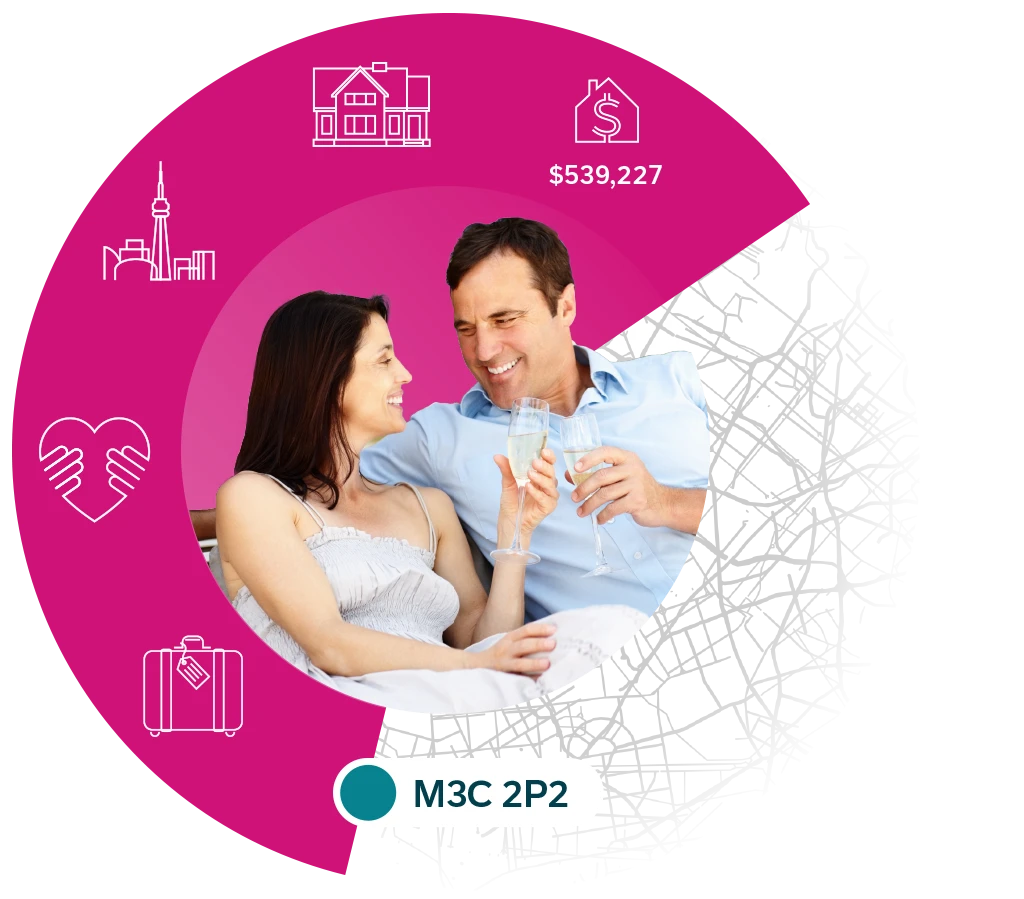
The following are “Hero Segment Circle” which are custom modification to layouts from the Sandbox theme.
This configuration of this widget serves as structure foundation for displaying items like CiG segments graphics with a square visual (but slightly rectangular to handle all design layouts) aspect ratio. With information as header, sub headers, bullets, lists or paragraphs.
The examples provided once copied in to a page can be used to mix and patch the content sections attributes by copying or inserting the types of sub content areas desired from other examples pre-styled on this page.
Elements beyond the sub / primary headers such as bullets, chevrons, icons etc. can be styled to match the color pallets used in the image as demonstrated below.

Cum sociis natoque penatibus et magnis dis parturient montes, nascetur ridiculus mus. Cras justo odio, dapibus ac facilisis in, egestas eget quam. Praesent commodo cursus magna, vel scelerisque nisl consectetur et.
The following are “Hero Segment Circle” which are custom modification to layouts from the Sandbox theme.
This configuration of this widget serves as structure foundation for displaying items like CiG segments graphics with a square visual (but slightly rectangular to handle all design layouts) aspect ratio. With information as header, sub headers, bullets, lists or paragraphs.
The examples provided once copied in to a page can be used to mix and patch the content sections attributes by copying or inserting the types of sub content areas desired from other examples pre-styled on this page.
Elements beyond the sub / primary headers such as bullets, chevrons, icons etc. can be styled to match the color pallets used in the image as demonstrated below.
Cum sociis natoque penatibus et magnis dis parturient montes, nascetur ridiculus mus. Cras justo odio, dapibus ac facilisis in, egestas eget quam. Praesent commodo cursus magna, vel scelerisque nisl consectetur et.

The following section is “Our Team” which are custom modification to layouts from the Sandbox theme.
This should be copied in whole to a page then modified to add / remove headers, staff etc. as needed to maintain the slight brand style changes made to the default layout in the Sandbox Theme.
The staff cards are editable by clicking on them as they are managed via the themes OT Team widget.

Financial Analyst

Marketing Specialist

Sales Manager

Investment Planner
The following section is “Portfolio Rotation” which are custom modification to layouts from the Sandbox theme.
This should be copied in whole to a page then modified to add / remove headers, staff etc. as needed to maintain the slight brand style changes made to the default layout in the Sandbox Theme.
The staff cards are editable by clicking on them as they are managed via the themes OT Portfolio Carousel widget.
NOTE: Portfolio style pages are not in the current CiG IA plan, but the module was styled for compatibility with the template if needed in the future as a case studies or similar area.
The following section is “Portfolio Rotation” which are custom modification to layouts from the Sandbox theme.
This should be copied in whole to a page then modified to add / remove headers, plans etc. as needed to maintain the slight brand style changes made to the default layout in the Sandbox Theme.
The plan cards are editable by clicking on them as they are managed via the themes OT Pricing Table.
NOTE: This layout can adapt to removing a plan(s) to the layout, but looks best when presented in the 3 column layout.
When adding or removing elements you may need to copy/adjust card padding/margin/sizes for consistency.
The following section is “Product Comparison Section” which are custom modification to layouts from the Sandbox theme.
This should be copied in whole to a page then modified to add / remove headers, tables, features etc. as needed to maintain the brand style changes made to the default layout in the Sandbox Theme.
The rows / columns are editable by clicking on the widget and looking at the Content control as they are managed via the themes OT Compare Pricing Table.
The Pricing Table widget in this case has had a custom CSS Class applied via Advanced > CSS Classes. cg-plan-table
This CSS class applies logic to the table as shown below to to highlight and color the first column in the dark blue with bolded text to stand out from the “competition” column to the right.
As the widget does not support sub section headers etc. You must duplicate the table and add sub headers manually once on the page as demonstrated below to do feature “groupings”.
The button for “Get a Demo” is built in, editable and controlled to optionally be displayed in each table from the OT Compare Pricing Table widget.
intelligentView | The Competition | |
|---|---|---|
| Market Data | One Ecosystem | Separate products |
| Update Frequency | Multiple times a year | Annually + |
| Projection Methodology | Independently projected to every six digit postal code | Relies on segmentation to project most attributes |
| Access | All-in-one cloud-based platform | Disconnected data products and platforms |
| Segmentation | 94 segments | 65+ segments |
intelligentView | The Competition | |
|---|---|---|
| Insights Reports | Pre-built and custom | Pre-built and custom |
| Mapping | Multiple features including Google Maps with StreetVIEW | Multiple features |
| First & Second Party Audience Builders | Pre-built tools and custom | - |
| Competitor Monitoring | Real-time competitive ad tracking | - |
| Get A Demo |
The following section is “Inline Text Editor Block” which is a custom layout to allow the insert of a “wall of text” as a page section.
This should be copied in whole to a page then modified to add / remove headers, features etc. as needed to maintain the brand style changes made to the default layout in the Sandbox Theme.
Note: Use caution to sanitize text in a plain text editor etc. as it appears the editor will import / embed HTML/Document styles with sometimes odd results. When in the editor you can switch from Visual to Text via the tabs if wanting to input bulk text or see styles that have been added.
Lorem ipsum dolor sit amet, consectetur adipiscing elit. Vivamus a diam non justo lobortis ullamcorper. Maecenas bibendum, sem a rhoncus varius, ipsum tortor feugiat ante, eget faucibus felis est vitae augue. Duis sagittis, velit sit amet interdum tempus, ligula quam sodales tellus, in semper risus nunc nec ligula. Ut consectetur augue non lobortis porttitor. Cras a diam nisi. Nam consectetur ultricies consequat. Aenean sit amet justo at erat fermentum faucibus euismod vel arcu.
Sed porta bibendum lectus sed rhoncus. Donec elementum feugiat vehicula. Sed pellentesque, sapien ut facilisis dictum, sapien ligula fermentum augue, non mollis ex arcu et dui. Phasellus ultrices pulvinar felis quis hendrerit.
Donec tempus accumsan tristique. Phasellus in leo eget risus efficitur tempor et volutpat justo. Nam sollicitudin metus ut tellus pulvinar, eget gravida nunc ornare.
Cras tincidunt ut ante id bibendum. Vivamus tincidunt velit neque, ut sollicitudin ipsum tristique ultricies. Interdum et malesuada fames ac ante ipsum primis in faucibus. Duis tellus velit, varius imperdiet vulputate eget, porta vel neque. Suspendisse vel est in dui bibendum porta. Pellentesque ultrices hendrerit efficitur. Ut accumsan, dui sed maximus ullamcorper, nunc felis laoreet erat, nec lacinia sem felis vel ligula. Duis id odio massa. Fusce nec commodo risus.
The following section is “Counter Bar” which enables the use of OT Counter widget to add a counter and label to a column for display.
This version is CiG brand modified by for all purposes the default version that ships as part of the SandBox theme.
Completed Projects
Satisfied Customers
Expert Employees
Awards Won
The following section is “Counter Bar” which enables the use of OT Counter widget to add a counter and label to a column for display.
This version is CiG brand modified to have slight design characteristics beyond the theme default, including a content area that can contain header, sub header and paragraph text.
Placeholder Counter
Placeholder Counter
Placeholder Counter
Placeholder Counter
The following section is “Counter Bar” which enables the use of OT Counter widget to add a counter and label to a column for display.
This version is CiG brand modified to have slight design characteristics beyond the theme default, including a content area that can contain header, sub header and paragraph text.
Placeholder Counter
Placeholder Counter
Placeholder Counter
Placeholder Counter
The following section is “Counter Bar” which enables the use of OT Counter widget to add a counter and label to a column for display.
This version is CiG brand modified to have slight design characteristics beyond the theme default.
Placeholder Counter
Placeholder Counter
Placeholder Counter
Placeholder Counter
The following section is “Counter Bar” which enables the use of OT Counter widget to add a counter and label to a column for display.
This version is CiG brand modified to have slight design characteristics beyond the theme default, including a content area that can contain header, sub header and paragraph text.
Note: It is not recommended to add more than 5X counters to this design layout for desktop/tablet spacing purposes.
Placeholder Counter
Placeholder Counter
Placeholder Counter
Placeholder Counter
Placeholder Counter
The following section is “Counter Bar” which enables the use of OT Counter widget to add a counter and label to a column for display.
This version is CiG brand modified to have slight design characteristics beyond the theme default, including a content area that can contain header, sub header and paragraph text.
Note: It is not recommended to add more than 5X counters to this design layout for desktop/tablet spacing purposes.
Placeholder Counter
Placeholder Counter
Placeholder Counter
Placeholder Counter
Placeholder Counter
The following section is “Counter Bar” which enables the use of OT Counter widget to add a counter and label to a column for display.
This version is CiG brand modified to have slight design characteristics beyond the theme default.
Note: It is not recommended to add more than 5X counters to this design layout for desktop/tablet spacing purposes.
Placeholder Counter
Placeholder Counter
Placeholder Counter
Placeholder Counter
Placeholder Counter
The following section is “Quote Big” which is a custom adaptation of the themes built in quote rotation styles as a single quote with two text areas.
The top row is pre-styled to be the larger quote text.
The lower row the role/name of person providing the quote.
“I absolutely love using intelligentVIEW for planning buys! The platform quickly gives me detailed insights into our target audience’s viewing and listening preferences, whether it’s for local, regional, or national media. It makes my media planning so much more efficient and helps me spot great local media opportunities.”
Sr Media Buyer, National Retailer
The following section is “Logo Rotation” which are custom modification to layouts from the Sandbox theme.
This should be copied in whole to a page then modified to add / remove headers, logos etc. as needed to maintain the brand style changes made to the default layout in the Sandbox Theme.
The logos are editable by clicking on the Image Carousel widget and looking at the Content control as they are managed via the widget.
The widget in this case has had a custom CSS Class applied via Advanced > CSS Classes. cig-data-partners
This CSS class applies logic to images to have them appear as greyscale to not clash with CiG branding, but show color on mouse hover.






The following section is “Our Clients” which are custom modification to layouts from the Sandbox theme.
This should be copied in whole to a page then modified to add / remove headers, logos, text etc. as needed to maintain the brand style changes made to the default layout in the Sandbox Theme.
The text content area is flexible and made up of components that can be changed to any configuration needed.
The image stack on the left has styles applied so the images will not appear too large and best suit horizontal logos.




Cum sociis natoque penatibus et magnis dis parturient montes, nascetur ridiculus mus. Cras justo odio, dapibus ac facilisis in, egestas eget quam. Praesent commodo cursus magna, vel scelerisque nisl consectetur et.
The following section is “Our Clients” which are custom modification to layouts from the Sandbox theme.
This should be copied in whole to a page then modified to add / remove headers, logos, text etc. as needed to maintain the brand style changes made to the default layout in the Sandbox Theme.
The top row making up 2 text column content areas is flexible and made up of components that can be changed to any configuration needed.
The images in the second row of columns are using the standard image component with CiG styles applied including cig-greyscale to avoid the logos conflicting with CIG branding, but still showing the color logo on hover.
The number of logos displayed can be changed by duplicating existing logos, or deleting un-needed ones.
Donec ullamcorper nulla non metus auctor fringilla. Cum sociis natoque penatibus et magnis dis parturient montes, nascetur ridiculus mus. Lorem ipsum dolor sit amet, consectetur adipiscing elit. Integer posuere erat a ante. Maecenas faucibus mollis interdum. Cras justo odio mollis.


The following section is “Feature – Text Left – 4 Boxes Offset Right” which are custom modification to layouts from the Sandbox theme.
This should be copied in whole to a page then modified to add / remove headers, logos, text etc. as needed to maintain the brand style changes made to the default layout in the Sandbox Theme.
Once on the desired page button and feature box text / backgrounds can be styled to match surrounding creative.
Note: While the left content column is more less free form, the style offsets of the boxes on the right make manipulation difficult in terms of size and position that will remain a good experience on all devices.
It’s highly recommended that these boxes in terms of content displayed try to match what is in the example or less for optimal display.
Vivamus sagittis lacus vel augue laoreet rutrum faucibus dolor auctor. Maecenas sed diam eget risus varius blandit sit amet non magna. Maecenas faucibus mollis interdum.
Praesent commodo cursus magna, vel scelerisque nisl consectetur et.
Praesent commodo cursus magna, vel scelerisque nisl consectetur et.
The following section is “Feature Text Center – Icon” which is a custom layout to allow the insert of a CiG custom icon, headers, a “wall of text” and a call to action as a page section.
This should be copied in whole to a page then modified to add / remove headers, features etc. as needed to maintain the brand style changes made to the default layout in the Sandbox Theme.
Note: Use caution to sanitize text in a plain text editor etc. as it appears the editor will import / embed HTML/Document styles with sometimes odd results. When in the editor you can switch from Visual to Text via the tabs if wanting to input bulk text or see styles that have been added.
Lorem ipsum dolor sit amet, consectetur adipiscing elit. Vivamus a diam non justo lobortis ullamcorper. Maecenas bibendum, sem a rhoncus varius, ipsum tortor feugiat ante, eget faucibus felis est vitae augue. Duis sagittis, velit sit amet interdum tempus, ligula quam sodales tellus, in semper risus nunc nec ligula. Ut consectetur augue non lobortis porttitor. Cras a diam nisi. Nam consectetur ultricies consequat. Aenean sit amet justo at erat fermentum faucibus euismod vel arcu.
The following section is “FAQ” which is a modification of a default Sandbox theme template page, to allow a text content section on the left, Header, Sub header, text and call to action button, and FAQ accordion on the right.
This should be copied in whole to a page then modified to add / remove headers, features etc. as needed to maintain the brand style changes made to the default layout in the Sandbox Theme.
The Q&A section is editable via the Sandbox themes OT Accordions widget to add, remove and order items.
Note: Use caution to sanitize text in a plain text editor etc. as it appears the editor will import / embed HTML/Document styles with sometimes odd results. When in the editor you can switch from Visual to Text via the tabs if wanting to input bulk text or see styles that have been added.
Duis mollis, est non commodo luctus, nisi erat porttitor ligula, eget lacinia odio sem nec elit. Nullam quis risus eget urna mollis ornare.
Fusce dapibus, tellus ac cursus commodo, tortor mauris condimentum nibh, ut fermentum massa justo sit amet risus. Cras mattis consectetur purus sit amet fermentum. Praesent commodo cursus magna, vel scelerisque nisl consectetur et. Cum sociis natoque penatibus et magnis dis parturient montes, nascetur ridiculus mus. Donec sed odio dui. Cras justo odio, dapibus ac facilisis.
Misc. minor stand alone components.